

Farmer Registration
today we discuss about the whole process of farmer registration and its relevant all information.
The Government of Gujarat has started Farmer Registration on the Farmer Registry Portal from 15 October 2024, similar to Aadhaar ID registration for farmers.
Registration for a Farmer ID has also been made mandatory for receiving the upcoming ₹2,000 installment
under the PM-Kisan Samman Nidhi Yojana scheme in December.
All farmers in Gujarat must complete registration through this Farmer Registry system. Farmers can contact Village Computer Entrepreneurs (VCE) or Common Service Centers (CSC) at the village level to complete their registration. Self-registration also online.
Farmers who do not complete Farmer Registry registration may not receive the ₹2,000 PM-Kisan installment.
Documents Required
- Copy of Village Form No. 7/12
- Copy of Aadhaar Card
- Mobile number linked with Aadhaar Card
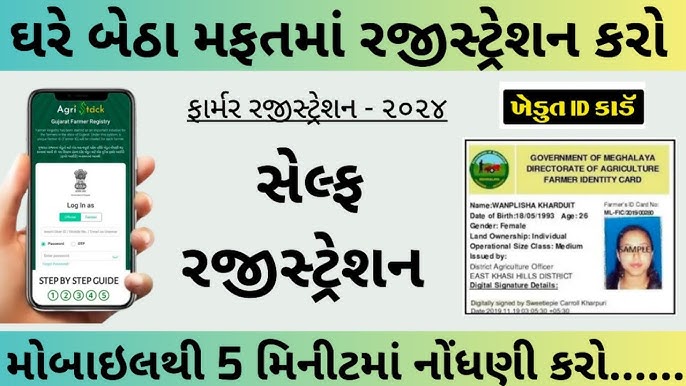
FARMER REGISTRATION
Farmer Registration Process
The Government of Gujarat has launched on the Farmer Registry Portal from 15 October 2024. Registration is mandatory for all farmers, especially for receiving benefits under the PM-Kisan scheme.
Farmers can complete registration through VCE or CSC centers, or by using the online self-registration process.
Mobile Application
Farmers can also register themselves from home using the “Farmer Registry Gujarat” mobile application.
Mukhyamantri Yuva Swavalamban Yojana
Self-Registration Process for Farmer Registry
Open the portal:
Farmer Registry Gujarat Portal
Go to Farmer Login and click on “Create New Account”.
Enter your Aadhaar Card number.
An OTP will be sent to the mobile number linked with Aadhaar. Enter the OTP for verification.
After Aadhaar verification, enter your mobile number.
An OTP will be sent to the registered mobile number. Enter the OTP.
Create a new password.
Log in using your registered mobile number and newly created password.
After login, verify your personal information displayed in the local language. You may edit details if required.
Verify the address shown as per Aadhaar Card.
In the “Land Ownership” dropdown, select “Owner”.
Tick both checkboxes under “Occupation Details”.
Click on “Fetch Land Details”.
Enter the survey number of your land.
Select the farmer’s name from the dropdown list.
Tick the checkbox next to the survey number and click Submit to fetch the details.
Check the “Name Match Score” of the fetched survey number.
After entering all survey numbers from the same village, click “Verify All Land”.
Tick the three checkboxes provided below.
Click the “Save” button.
Click on “Proceed to E-Sign”.
You will be redirected to the Aadhaar C-DAC page. Enter your Aadhaar number there.
Enter the OTP sent to the mobile number linked with Aadhaar.
Click the Submit button.
After successful registration, the farmer’s Enrollment Number will be displayed.
Farmer Registration
The Government of Gujarat has started Farmer Registration on the Farmer Registry Portal from 15 October 2024, similar to Aadhaar ID registration for farmers.
Registration for a Farmer ID has also been made mandatory for receiving the upcoming ₹2,000 installment
under the PM-Kisan Samman Nidhi Yojana scheme in December.
All farmers in Gujarat must complete registration through this Farmer Registry system. Farmers can contact Village Computer Entrepreneurs (VCE) or Common Service Centers (CSC) at the village level to complete their registration. Self-registration also online.
Farmers who do not complete Farmer Registry registration may not receive the ₹2,000 PM-Kisan installment.
Documents Required
- Copy of Village Form No. 7/12
- Copy of Aadhaar Card
- Mobile number linked with Aadhaar Card
- armer Registration Process
- The Government of Gujarat has launched on the Farmer Registry Portal from 15 October 2024. Registration is mandatory for all farmers, especially for receiving benefits under the PM-Kisan scheme.
- Farmers can complete registration through VCE or CSC centers, or by using the online self-registration process.
- Mobile Application
- Farmers can also register themselves from home using the “Farmer Registry Gujarat” mobile application.
- Mukhyamantri Yuva Swavalamban Yojana
- Self-Registration Process for Farmer Registry
- Open the portal:
- Farmer Registry Gujarat Portal
- Go to Farmer Login and click on “Create New Account”.
- Enter your Aadhaar Card number.
- An OTP will be sent to the mobile number linked with Aadhaar. Enter the OTP for verification.
- After Aadhaar verification, enter your mobile number.
- An OTP will be sent to the registered mobile number. Enter the OTP.
- Create a new password.
- Log in using your registered mobile number and newly created password.
- After login, verify your personal information displayed in the local language. You may edit details if required.
- Verify the address shown as per Aadhaar Card.
- In the “Land Ownership” dropdown, select “Owner”.
- Tick both checkboxes under “Occupation Details”.
- Click on “Fetch Land Details”.
- Enter the survey number of your land.
- Select the farmer’s name from the dropdown list.
- Tick the checkbox next to the survey number and click Submit to fetch the details.
- Check the “Name Match Score” of the fetched survey number.
- After entering all survey numbers from the same village, click “Verify All Land”.
- Tick the three checkboxes provided below.
- Click the “Save” button.
- Click on “Proceed to E-Sign”.
- You will be redirected to the Aadhaar C-DAC page. Enter your Aadhaar number there.
- Enter the OTP sent to the mobile number linked with Aadhaar.
- Click the Submit button.
- After successful registration, the farmer’s Enrollment Number will be displayed.